Subscribe to Telemetry Data (MQTT)
We recommend using MQTT to obtain telemetry data. We push the telemetry data of all devices under your account to your data channel.
- Telemetry data can be queried in Appendix - Inverter Telemetry Data and Appendix - Smart Device Telemetry Data.
- By default, devices generate telemetry data at a frequency of one packet per minute. Once the cloud receives a data report from the device, the data is immediately pushed to the corresponding data channel.
- Please use the MQTTS protocol to encrypt data transmission.
✨ Connection Info
| Protocol | Address | Port |
|---|---|---|
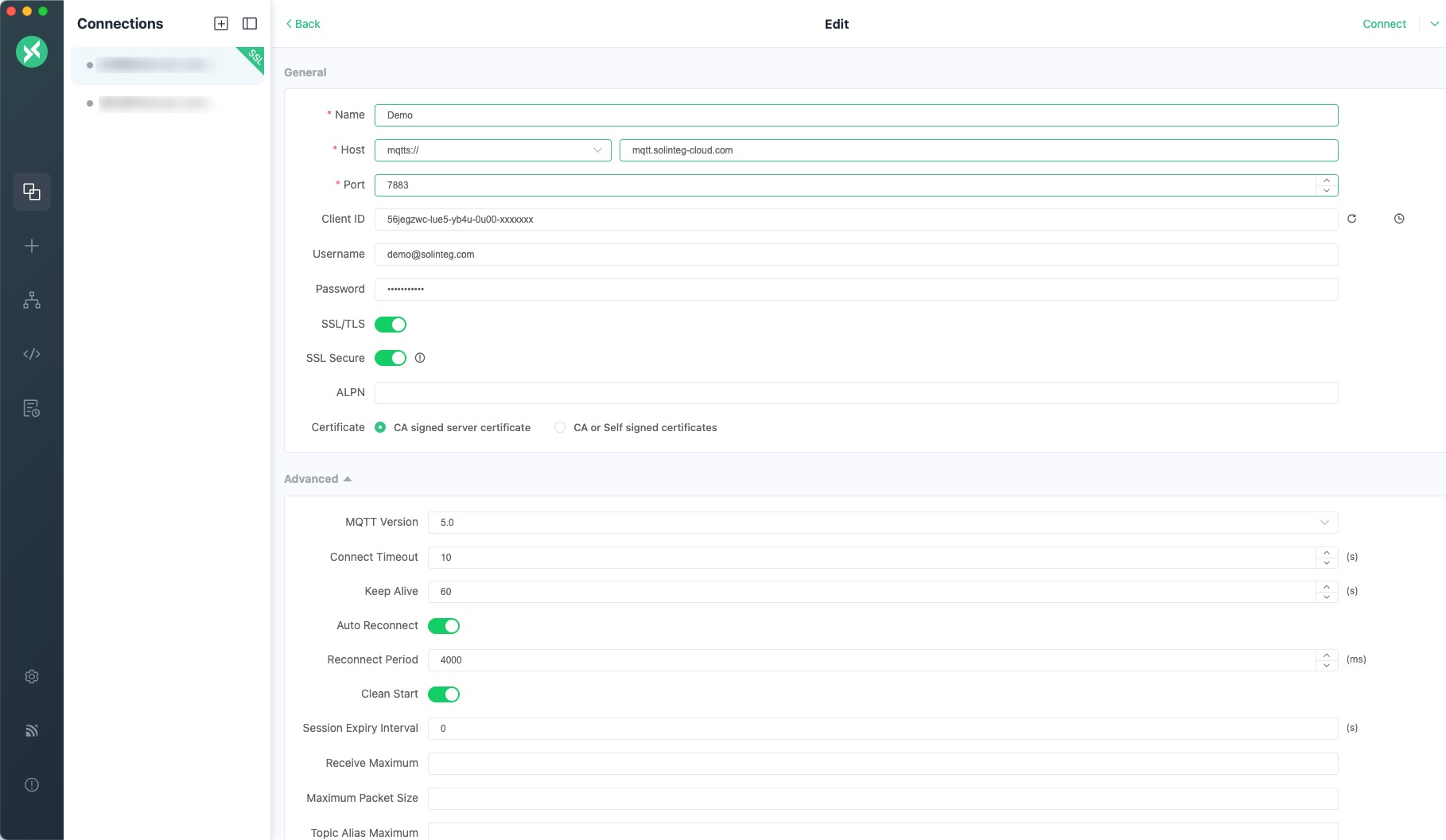
| mqtt:// | mqtt.solinteg-cloud.com | 7783 |
| mqtts:// | mqtt.solinteg-cloud.com | 7883 |
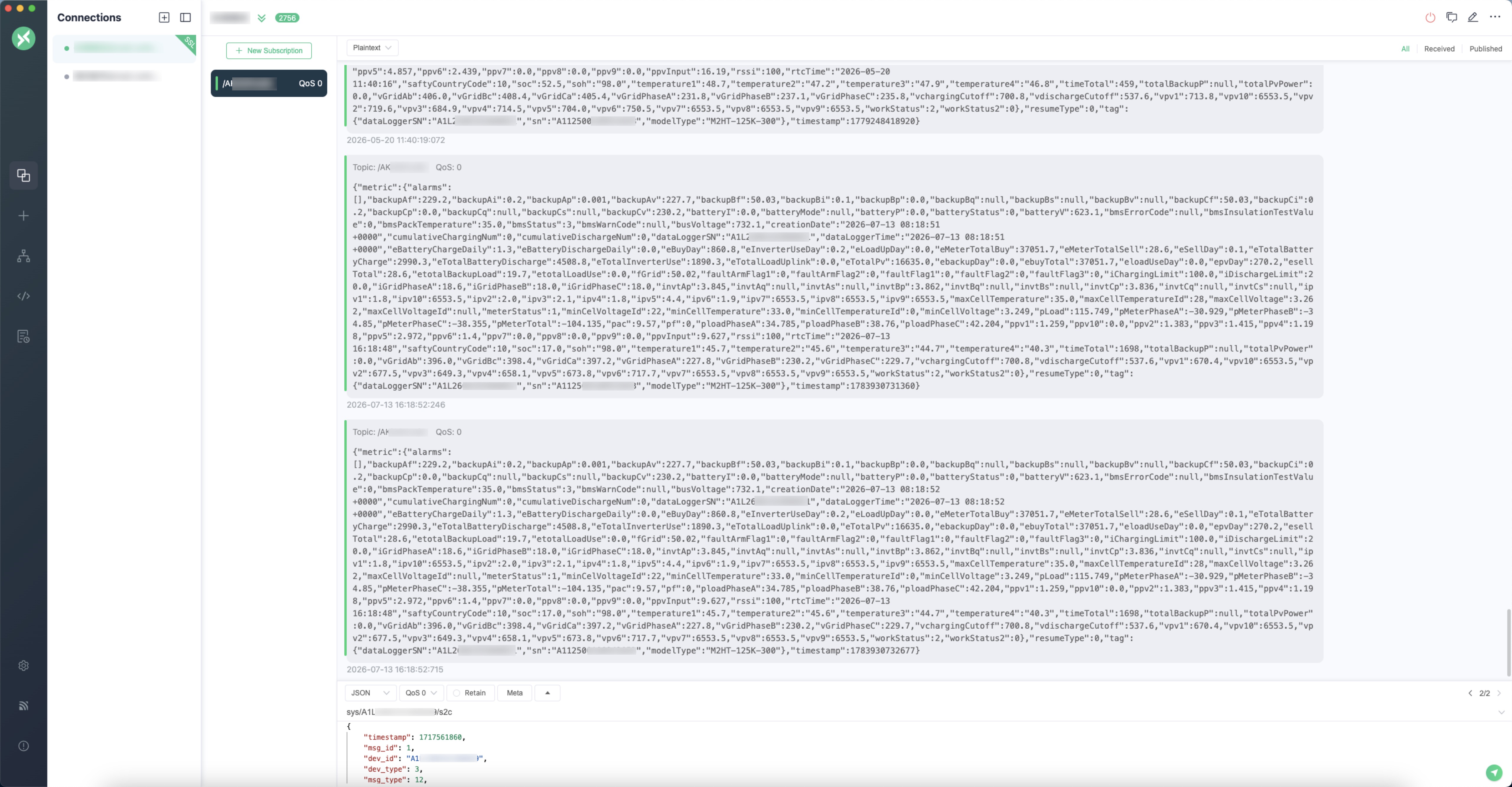
Testing with MQTTX (Download)
Breakpoint Resume
Introduction
When the "breakpoint resume" feature is enabled on a device, the device stores its running data locally whenever its connection to the cloud is interrupted. After the connection is re-established, the locally stored data is re-uploaded to the cloud.
tip
Currently, an inverter can store up to 14 days of running data. Beyond 14 days, the oldest data is continuously cleaned up so that the inverter always keeps the most recent 14 days.
The collection interval of breakpoint data is fixed at 5 minutes, which is different from the frequency of real-time data.
Prerequisites
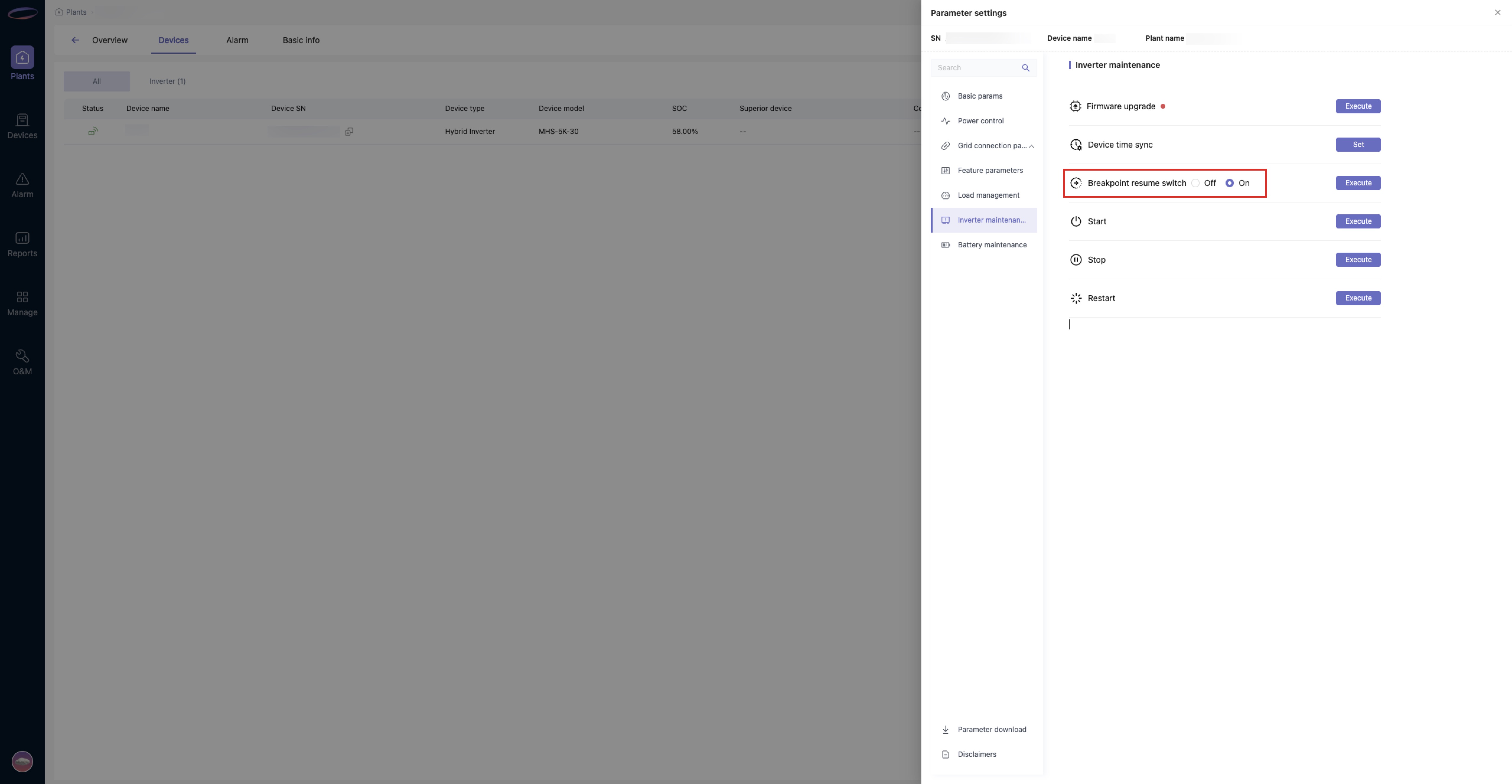
- Make sure the "breakpoint resume" feature is enabled on the inverter side (enabled by default on currently shipped devices). The toggle in the monitoring system is shown below.
- The
breakpoint data pushfeature is enabled for your account on the Solinteg Open API service (enabled by default for newly created accounts). If you are not sure whether this feature is enabled, feel free to contact us.
Usage
- When breakpoint data is generated, your topic will receive the breakpoint data pushed by the Solinteg Open API service. The data format is basically the same as that of real-time running data.
resumeType=1indicates that the data is breakpoint resume data; in a normal real-time data stream, this value is 0. - You can append the data to your database based on
rtcTime(the device's local time) in the data. - Currently, only inverters support this feature.
Data Format
Inverter Data
{
  "metric": {
    "backupAf": 232.7,
    "backupAi": 0.3,
    "backupAp": 0.068,
    "backupAv": 232,
    "backupBf": 49.99,
    "backupBi": 0.5,
    "backupBp": 0.065,
    "backupBv": "--",
    "backupCf": 49.99,
    "backupCi": 0.3,
    "backupCp": 0.07,
    "backupCv": 233.5,
    "batteryI": 0,
    "batteryP": 0,
    "batteryStatus": 0,
    "batteryV": 401.7,
    "bmsPackTemperature": 37,
    "busVoltage": 744.5,
    ...
  },
  "tag": {
    "sn": "A112300100932038",
    "modelType": "MHT-40K-100"
  },
  "resumeType": 1,
  "timestamp": 1724312407474
}
Smart Device Data
{
  "metric": {
    "activePowerA": null,
    "activePowerB": null,
    "activePowerC": null,
    "creationDate": "2024-10-21 03:31:48 +0000",
    "freA": null,
    "freB": null,
    "freC": null,
    "iac1": null,
    "iac2": null,
    "iac3": null,
    "invSn": "A1M230008333100B",
    "modelType": "RMK-MA(3P)",
    "pfA": null,
    "pfB": null,
    "pfC": null,
    "rsved60330": null,
    "rsved60340": null,
    "rtcTime": "2024-10-21 11:31:48",
    "totalActivePower": null,
    "totalBuyElectricity": null,
    "totalLoadPower": null,
    "totalSoldElectricity": null,
    "vab": null,
    "vac1": null,
    "vac2": null,
    "vac3": null,
    "vbc": null,
    "vca": null
  },
  "modelType": "RMK-MA(3P)",
  "sn": "A1M230008333100B",
  "timestamp": 1729481508520
}